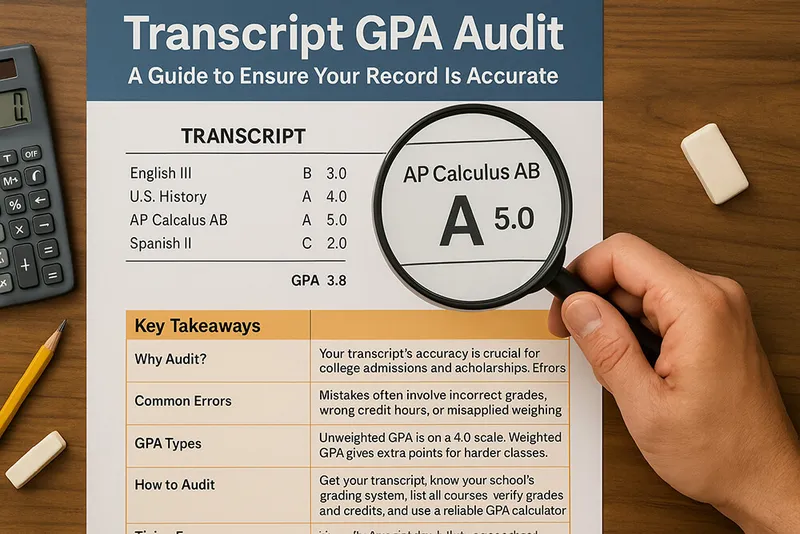
A transcript review is an accuracy and understanding check. Do not begin by assuming the record is wrong, and do not treat an unofficial calculator as a certification tool.
Build the packet before recalculating
Collect:
- the complete transcript, including its legend and footnotes;
- the current catalog or handbook for the relevant academic period;
- course schedules, grade reports, approved changes, and transfer evaluations;
- the institution's record-explanation and amendment procedure;
- the deadline for the decision that requires the record.
The legend matters because a letter, code, credit, and GPA can have institution-specific meanings.
Annotate every row
Create a worksheet with these columns:
| Transcript field | Recorded value | Policy source | Expected treatment | Evidence or question |
|---|---|---|---|---|
| Course and term | Included or excluded | |||
| Grade notation | Point value or non-GPA mark | |||
| Credits or GPA hours | Numerator/denominator weight | |||
| Repeat/transfer status | Named policy treatment | |||
| Quality points | Recomputed value, if applicable |
Do not convert IB, percentage, international, or other grades unless the record owner or intended recipient instructs you to do so.
Reconcile the arithmetic under the named rule
Notre Dame's registrar provides one institutional example:
course quality points = grade-point value × credits
GPA = total quality points ÷ attempted credits
That formula does not make Notre Dame's grade table or inclusion rules universal. Use the current rule governing your record. Distinguish attempted credits, earned credits, GPA hours, and degree-applicable credits wherever the institution does.
Keep full precision while comparing calculations, then apply only the institution's published rounding or truncation rule.
State one discrepancy precisely
Replace “my GPA looks wrong” with a reproducible statement:
The transcript records [field/value] for [course/term]. The attached [policy or approved record] indicates [expected treatment]. Please explain how the recorded value was produced or identify the correction process.
Attach only relevant evidence. Preserve the original files and dates of communication.
Ask for explanation before amendment
The U.S. Department of Education explains that FERPA requires schools to respond to reasonable requests for explanations or interpretations of education records. That supports asking the school to explain an unresolved GPA field; it does not authorize a calculator to declare the transcript wrong.
Where FERPA applies, parents or eligible students may inspect education records and seek amendment of records believed inaccurate or misleading, following the institution's procedure and hearing process. FERPA's amendment right is not a way to challenge a substantive grading judgment simply because the student disagrees with it.
Use the school's published channel. Depending on the field, that may be the registrar, records office, counselor, instructor, or another designated official.
What this site's calculator can and cannot do
It can compare arithmetic when your rows match its fixed letter-grade and optional weighting model. It cannot:
- read a transcript automatically;
- select an institution's policy;
- represent every special notation;
- certify a weighted or unweighted GPA;
- amend an education record.
If the controls cannot reproduce the governing table, use a policy-specific worksheet instead.
Bottom line
Start with the transcript legend, document each row and rule, isolate a specific discrepancy, and request an explanation through the record owner's process. Treat calculator output as comparison evidence, never as the official audit result.